Website powered by

How to Learn Blender by Building Andy's Room from Toy Story (Complete 14-Hour Course)

Tutorial / 16 November 2025

Stop jumping between random tutorials. Learn Blender the way professionals build real projects — from first vertex to final render.

If you've ever opened Blender, felt overwhelmed by the interface, and thought "where do I even start?"... you're not alone.

The problem isn't that Blender is too hard. The problem is that most tutorials teach you tools in isolation — "here's how to model a table," "here's how to use modifiers" — without showing you how everything connects in a real project.

You end up with scattered knowledge and no idea how to actually build something complete.

That's exactly why I created Blender Story: From Zero to Andy's Room.


Why Andy's Room? Why This Course?

It's a Complete Production Pipeline
Andy's room from Toy Story isn't just iconic — it's the perfect learning project. It contains:

  • Architectural elements (walls, floor)
  • Hard surface props (chair, bed, lamp)
  • Organic shapes (pillows, bed sheet)
  • Lighting challenges (window light, ambient mood)

In other words: everything you need to learn to build any 3D environment.


It's Structured Like Real Production
Most courses jump around. This one follows the exact workflow used in professional studios:

  1. Modeling — Build clean, efficient geometry
  2. UV Unwrapping — Prepare assets for texturing
  3. Materials & Textures — Create stylized, appealing surfaces
  4. Lighting & Rendering — Bring the scene to life

By the end, you don't just know Blender. You know how to think like a 3D artist.


What You'll Learn in 14+ Hours (3 Seasons)

Season 1: Modeling (16 Episodes | 6h 25m)
This is where most beginners struggle. You'll learn:

  • Box modeling vs. subdivision workflows — when to use each
  • Modifier stacking for non-destructive editing
  • Proportions and scale that feel believable

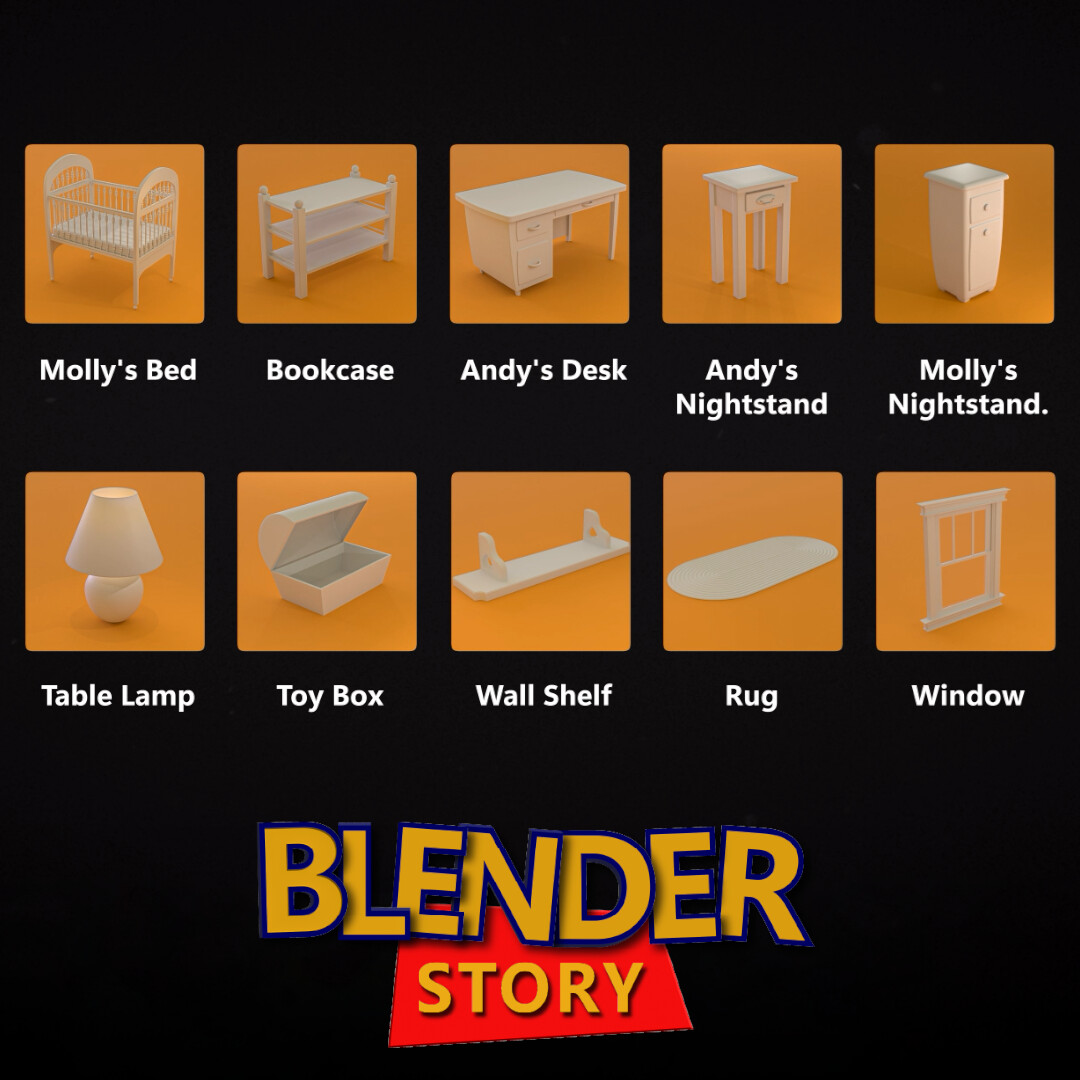
You'll build most pieces of Andy's room from scratch: the bed, desk, lamp, chair, bookshelf, window, door, and etc. By the end, you'll understand how to model anything.


Season 2: UV Unwrapping & Materials (13 Episodes | 6h)

UV unwrapping is where good models become great renders. You'll master:

  • Smart UV projection techniques that save hours
  • Seam placement strategies for clean textures
  • Stylized shader creation (think Pixar, not photorealism)
  • Material organization and reusability
  • Texture painting basics for custom details


This season transforms your geometry into surfaces that feel real — wood grain, fabric texture. You'll understand why UV unwrapping isn't tedious busywork; it's creative problem-solving.


Season 3: Lighting & Rendering (4 Episodes | 1h 50m)

Lighting is where good scenes become great scenes. You'll learn:

  • Interior lighting
  • Camera composition and framing
  • Render optimization for faster previews
  • Post-processing touches that add polish


Who Is This Course For?

✅ Perfect If You're:

  • A complete beginner who wants one clear path from zero to portfolio piece
  • An intermediate artist who knows tools but struggles with complete projects
  • Self-taught and scattered — you've watched 100 tutorials but never finished anything cohesive
  • An environment art enthusiast who wants to break into game dev or archviz
  • Someone who learns by doing — you need a real project, not abstract exercises

❌ Maybe Not For You If:

  • You only want character modeling (this is environment-focused)
  • You're already a senior environment artist (this covers fundamentals to intermediate)
  • You prefer super-fast "quick tips" over deep understanding


Why This Course Is Free on YouTube (And Why You Might Still Pay $30)

Here's the deal: The entire 14+ hour course is free on YouTube.
I believe Blender education should be accessible to everyone. No paywalls. No gatekeeping.

So why does a $30 Supporter Edition exist?

Because some creators want:

  1. Ad-free, offline viewing — Download all 32 episodes. Learn on a flight, in a cabin, wherever.
  2. Organized project files — Every episode's Blender file in structured folders. No hunting through video descriptions.
  3. Practice files + final scene — Start from any point, or study the completed room.
  4. To support future free content — Every purchase funds more courses, tools, and open resources for the community.

Think of it as voluntarily buying a textbook you can already read for free in the library. You're paying for convenience and supporting the author.

What Students Are Saying

Your Next Steps: Start Building Andy's Room Today

You have two options:

Option 1: Start Free on YouTube
Best for: Anyone who wants to learn Blender without spending a dime
Blender Story Season 1
No signup. No credit card. Just hit play and start learning.

Option 2: Get the Supporter Edition ($30)
Best for: Creators who want offline access, organized files, and to support free education

What's included:

  • ✅ All 32 episodes downloadable (ad-free, 14+ hours)
  • ✅ Organized project folders for every episode
  • ✅ Practice files + final Andy's Room scene

Get Supporter Edition

Why I Built This Course

I've been teaching Blender and creating open educational content for the 3D community for years. I've seen too many beginners give up because they couldn't find a clear path forward.

Random tutorials don't work. You need structure. You need a real project. You need to see how professionals think, not just what buttons they press.

Blender Story: From Zero to Andy's Room is my answer to that problem.

Whether you watch free on YouTube or support with the paid edition — I just want you to finish this course with a portfolio piece you're proud of and the confidence to build your next environment from scratch.

Let's rebuild Andy's room together.

— MiM Repository

Frequently Asked Questions

Q: Do I need any prior 3D experience?A: Nope. The course starts from absolute zero. If you can download Blender, you can follow along.

Q: What version of Blender do I need?A: Blender 3.0 or newer. The course uses modern workflows that work in all current versions.

Q: How long does it take to complete?A: The videos are 14+ hours, but expect to spend 25-35 hours if you're building along and experimenting. Go at your own pace.

Q: Can I use this in my portfolio?A: Absolutely. The final render shows you can complete a full environment — that's what studios want to see.

Ready to start? Pick your path:

🆓 Free on YouTube 💎 Supporter Edition - $30

Related Articles You Might Like:

Smart Flow v1.3.0 — The Biggest Step Forward in Blender Workflow

VDM Brush Maker for Blender: Ultimate VDM Brush Creation Suite

Smart Flow v1.3.0 — The Biggest Step Forward in Blender Workflow

Tutorial / 05 November 2025

We’re excited to announce the release of Smart Flow v1.3.0, the most powerful update yet to our professional Blender workflow toolkit.
If you’ve ever felt slowed down by repetitive tasks and scattered workflows in Blender — this update changes everything.

💥 40% OFF for One Week Only
To celebrate the v1.3.0 release, all MiM Repository products — including Smart Flow — are 40% OFF for one week.
🎟️ Discount Code: SMARTFLOW40 (Valid for 7 days only!)

Smart Flow
https://www.artstation.com/a/47587855

All Products
https://www.artstation.com/a/10462109

We’ve just released a new YouTube video showcasing every tool and feature inside Smart Flow


What’s New in Smart Flow v1.3.0

This version introduces three brand-new tools that push Smart Flow beyond collection management and alignment — turning it into a complete, intelligent workflow system.

🔹 Smart Origin

Forget manual origin adjustments. With Smart Origin, simply select a component, right-click to confirm, and it’s instantly aligned — no extra steps, no guesswork. Perfect for precise modeling, hard surface workflows, and asset preparation.

🔹 Smart Transform

Move, rotate, or scale multiple objects intelligently — while preserving their local orientation and hierarchy. Smart Transform brings intuitive manipulation to complex scenes, saving hours in scene organization and setup.

🔹 Universal Manipulator

Scale and rotate objects directly in the viewport. it’s a faster, smarter way to interact with your scene!

🧰 All Tools in Smart Flow (v1.3.0)

Smart Flow now includes 8 tools, each designed to solve a real production problem inside Blender:

  1. Base Setter — Align objects perfectly to the grid or world origin.

  2. Collection Batcher — Import and manage collections across multiple .blend files.

  3. Smart Copy — Preserve collection hierarchies and color tags between files.

  4. Smart Replace — Replace selected objects while maintaining transforms.

  5. Smart Linker — Manage linked assets intelligently.

  6. Base Marker — Quickly set reference points for organization.

  7. Smart Origin — (New) One-click origin placement.

  8. Universal Manipulator — (New) Advanced transform control.


❤️ From the MiM Repository Team

We want to thank everyone who’s supported Smart Flow and shared feedback over the past months.Your comments, requests, and ideas are what keep us improving this toolset. Make sure to check out our YouTube channel today for the full video and tutorials — it’s just gone live!


Blender Story | S3 Ep. 2 – Building the Scene: Set Dressing Andy’s Room in Blender

Tutorial / 02 June 2025

🎬 Blender Story | S3 Ep. 2 – Building the Scene: Set Dressing Andy’s Room in Blender

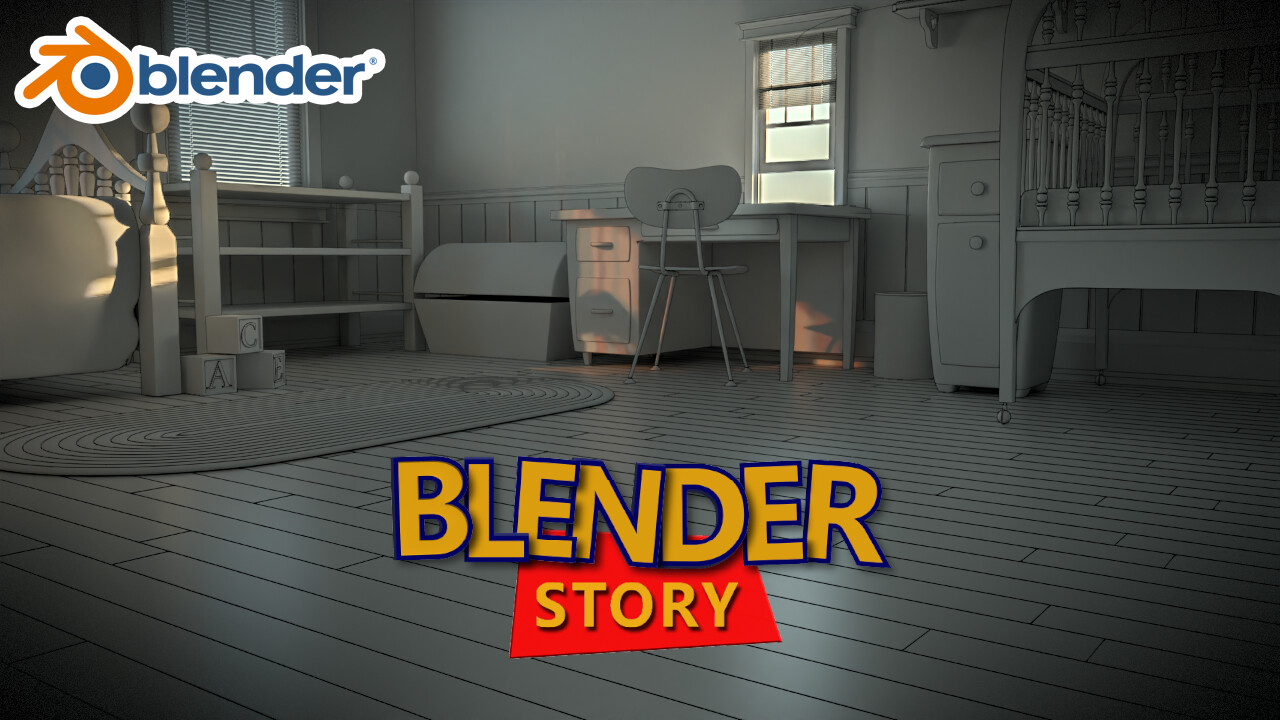
After two full seasons of modeling and texturing props, we’re finally here: Andy’s room is coming together!In Episode 2 of Blender Story – Season 3, we dive into the set dressing and environment building phase using Blender’s Asset Browser and some solid foundational modeling techniques. 🛠️

📺 Watch the full episode on YouTube:


🧱 What’s Inside This Episode:

We begin by building the room layout — placing walls, creating wood flooring, and adding wall paneling for a warm and detailed interior.I also go over the modeling of the window and door quickly, just to show the key steps behind the structure.

While I don’t spend much time on importing and arranging assets, I’ve already provided a scene blueprint in the practice file. That means you can easily place all the props — like the bed, nightstand, table lamp, and shelf — just by following the reference layout.

⚡ Episode Highlights:

  • Modeling the base room structure

  • Creating wood floors and wall paneling (Skirting, dado and dado rail)

  • Simple window and door modeling walkthrough

  • Preparing everything for lighting and rendering

🧠 Blender Story in a Nutshell

Blender Story is a complete Blender course — free, beginner-friendly, and practical.In Season 1, we modeled individual props.In Season 2, we textured them.And now, in Season 3, we’re putting them together to build the full scene, light it, and render it with cinematic quality.

This episode sets the stage for the next big step — lighting and camera work!

💬 Be Part of the Community

Got progress to share? Join our community on Discord and see how other artists are building their version of Andy’s room:
👉 Join the Discord Server

❤️ Support the Series

Your support keeps this series free and growing.
🟠 https://patreon.com/MiM_Repository

Thanks for reading!
Let’s keep building scenes that tell stories.
# # # # # # # # #CGScene ## #

Blender Story: From Zero to Andy's Room | Ep. 7: The Technique That Revolutionized 3D Animation!

Tutorial / 29 September 2024

Blender Story: From Zero to Andy's Room | Ep. 7: The Technique That Revolutionized 3D Animation!

🌟 Welcome to Another Blender Story! In this episode, we explore the groundbreaking Catmull-Clark subdivision surface method, a technique that revolutionized 3D animation! Join us as we model Andy’s chair in Blender, using subdivision surfaces to create smooth, professional-quality curves and forms. We’ll also take a closer look at how the Simple Deform modifier can add extra magic, transforming your 3D designs with ease.

🔗 Free Practice Files: 
🎁Download the blueprint images for this episode
 https://www.artstation.com/a/40219943

Let's embark on this Blender journey together! 🚀
https://youtu.be/CYOa9QBjU-M

Blender Story | Ep. 6: Get More Professional - Modeling Andy's Nightstand Like a Pro!

Tutorial / 09 September 2024

Blender Story | Ep. 6: Get More Professional - Modeling Andy's Nightstand Like a Pro!

🌟 In this episode of Blender Story, we’re taking our modeling skills to the next level by creating a detailed, stylized drawer for Andy’s Nightstand! Unlike the simpler design we made in Molly’s Nightstand, this time we’ll ensure the drawer can be opened and showcased with pride.


🔗 Free Practice Files: 
🎁Download the blueprint images for this episode
 https://www.artstation.com/a/40219943

What You'll Learn: 
1️⃣ Advanced techniques for modeling drawer compartments 
2️⃣ How to use the Extrude tool and Bevel Modifier to add detailed features and enhance your model's appearance. 
3️⃣ Mastery of the Offset Edge Slide tool for precise edge placement 
4️⃣ Effective viewport shading settings to showcase your nightstand model with professional quality. 
5️⃣ Utilizing Blender’s Curve objects to design smooth, elegant handles and accents. 
6️⃣ How to use the Bridge Edge Loops tool to create precise openings in a mesh.

Let's embark on this Blender journey together! 🚀
https://youtu.be/FG7rUaYiPc0

Blender Story | Ep. 5: Mastering Collections, Loop Cuts & Bevels (Create Molly’s Nightstand)

Tutorial / 07 September 2024

Blender Story | Ep. 5: Mastering Collections, Loop Cuts & Bevels (Create Molly’s Nightstand)

Welcome back to our Blender Story series! In this episode, we’re diving deep into essential modeling techniques that every Blender artist needs to know. From organizing your workspace with Collections to mastering the Loop Cut tool for precise mesh editing, we’ve got you covered.

 We’ll also explore the Bevel Modifier to create smooth, professional edges and introduce the Subdivision Surface Modifier for adding that perfect touch of smoothness to your models. Plus, learn how to use the Mirror Modifier for symmetry and control your model's pivot with Object Origin adjustments.

 By the end of this tutorial, you’ll have built Molly’s Night Stand, a stylish piece of furniture that perfectly demonstrates these techniques in action. Whether you’re a beginner or looking to refine your skills, this step-by-step guide will help you level up your 3D modeling in Blender.

🔗 Free Practice Files: 
🎁Download the blueprint images for this episode
 https://www.artstation.com/a/40219943

What You’ll Learn:     

1️⃣ How to organize your scene using Collections    
2️⃣ Precise mesh editing with Loop Cuts    
3️⃣ Creating smooth edges with the Bevel Modifier    
4️⃣ Adding smoothness with Subdivision Surface Modifier    
5️⃣ Ensuring symmetry with the Mirror Modifier    
6️⃣ Adjusting Object Origin for better control

Let's embark on this Blender journey together! 🚀
https://youtu.be/Ghu8TSSnlsI

Blender Story: From Zero to Andy's Room | Ep. 4: Modeling a Bookshelf in Blender

Tutorial / 13 August 2024

Blender Story: From Zero to Andy's Room | Ep. 4: Modeling a Bookshelf in Blender


🌟 Welcome back to MiM Repository’s Blender beginner course! In this fourth episode, we’re taking our Blender skills to the next level by creating a 3D model of a bookshelf. This lesson builds on the techniques you’ve learned so far, while introducing new methods that will enhance your efficiency and precision in 3D modeling. 

🔗 Free Practice Files: 
🎁Download the blueprint images for this episode
 https://www.artstation.com/a/40219943

What You’ll Learn: 

1️⃣ outliner basic introduction 
2️⃣ The importance of Object Mode vs. Edit Mode in modeling. 
3️⃣ How to use linked duplicates for efficient modeling. 
4️⃣ Applying modifiers, like Bevel, non-destructively to your models.

Let's embark on this Blender journey together! 🚀
 https://www.artstation.com/a/40219943

Blender Story: From Zero to Andy's Room | Ep. 3: Creating Your First 3D Model – A Garbage Can

Tutorial / 09 August 2024

Blender Story: From Zero to Andy's Room | Ep. 3: Creating Your First 3D Model – A Garbage Can


We are thrilled to unveil the third episode in MiM Repository's Blender beginner course! In this episode, we're taking a significant step forward as we guide you through creating your very first 3D model in Blender: a simple yet essential object – a garbage can. This tutorial is perfect for beginners who are eager to bring their ideas to life in 3D.

download the practice file:
https://www.artstation.com/a/40219943

Episode Overview: Crafting a Garbage Can

This episode focuses on the fundamental techniques of 3D modeling in Blender. You'll learn how to use basic shapes and refine your model to create a garbage can. By the end of this tutorial, you'll have a solid understanding of the modeling process, giving you the confidence to tackle more complex projects.

Get Started Now!
Visit our course on YouTube and begin your journey into 3D modeling with Blender. This is your chance to turn your creative ideas into tangible digital assets!


Visit our course on YouTube to begin your journey into the world of 3D modeling with Blender
🌟 Don’t Miss Out:
🔴 Subscribe to our channel for the latest updates and new tutorials
🔴 Follow us on ArtStation for more exciting content and resources


Blender Story: From Zero to Andy's Room | Ep. 2: Mastering Transform Tools in Blender

Tutorial / 01 August 2024
Blender Story: From Zero to Andy's Room | Ep. 2: Mastering Transform Tools in Blender

🌟🌟 Good News! A New Episode is Here! 🌟🌟

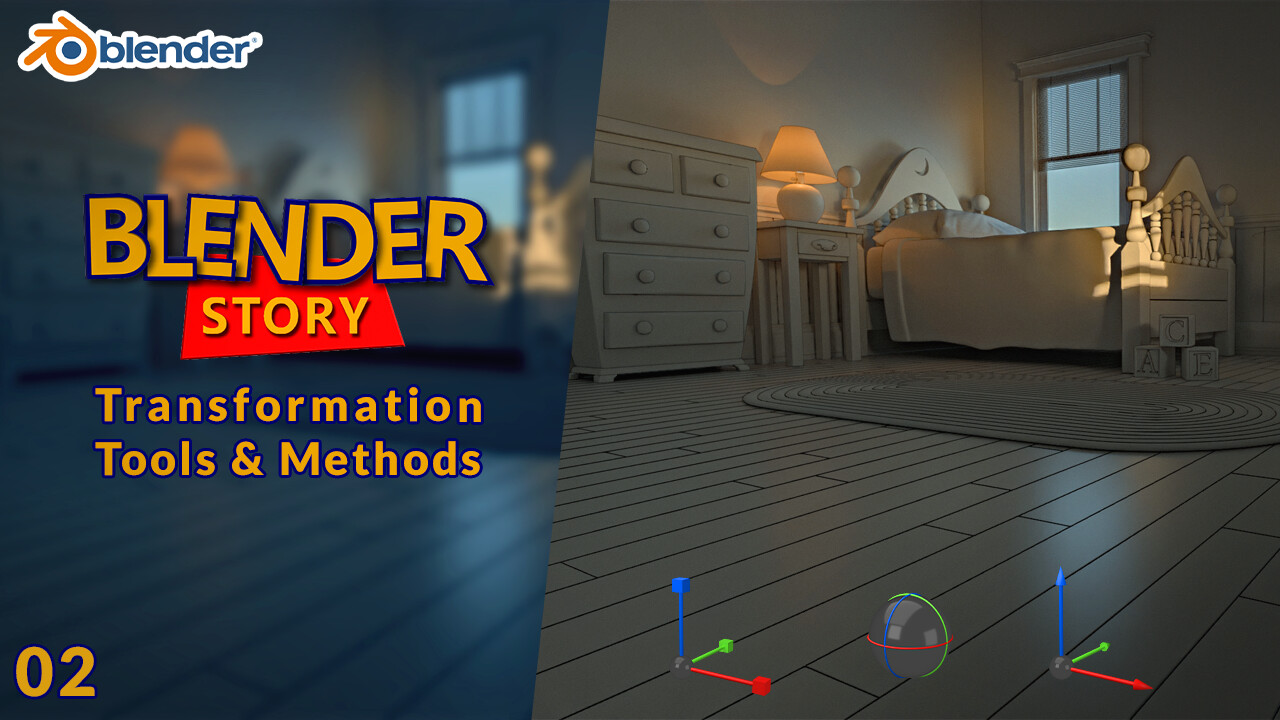
We're excited to announce the release of the second episode in MiM Repository's Blender beginner course! This time, we delve into one of the most essential aspects of Blender: the Transform tools. Mastering these tools is crucial for any 3D modeling project. Let’s get started on this exciting journey!

Episode Overview: Transform Tools in Blender

In this episode, we focus on the three main Transform tools in Blender: Move, Rotate, and Scale. These tools are essential for manipulating objects in your 3D scene, and they each come with their own Transformation Gizmo, allowing for precise control along the X, Y, and Z axes.

Get Started Now!
Visit our course on YouTube to begin your journey into the world of 3D modeling with Blender


Visit our course on YouTube to begin your journey into the world of 3D modeling with Blender


🌟 Don’t Miss Out:
🔴 Subscribe to our channel for the latest updates and new tutorials
🔴 Follow us on ArtStation for more exciting content and resources

Blender Story: From Zero to Andy's Room | Blender FREE beginner 3D Modeling Course

Tutorial / 27 July 2024

We’re excited to announce that our comprehensive Blender course, Blender Story: From Zero to Andy's Room, is now available for FREE to everyone! Whether you’re just starting out or looking to sharpen your 3D modeling skills, this course will guide you through creating an entire 3D scene using Blender.

Get Started Now!
Visit our course on YouTube to begin your journey into the world of 3D modeling with Blender


🌟 Don’t Miss Out:
Subscribe to our channel for the latest updates and new tutorials
Follow us on ArtStation for more exciting content and resources

Start creating today and join our community of 3D artists! Your creative adventure awaits!